
Why SEO Plugins Are Essential for WordPress
If you run a WordPress website, you’ve probably heard that SEO (Search Engine Optimization) is crucial for attracting organic traffic. But managing SEO manually — from meta tags to sitemaps — can be overwhelming.
That’s where WordPress SEO plugins come in.
These tools help you optimize content, improve rankings, manage metadata, and analyze performance, all without touching a line of code.
But with hundreds of plugins available, which ones actually work?
In this 2025 guide, we’ll review the best SEO Plugins for WordPress, comparing their features, pros, cons, and unique advantages — so you can choose the perfect tool for your website.
Yoast SEO — The All-in-One SEO Classic
Overview
When it comes to SEO Plugins for WordPress, Yoast SEO has been the industry leader for over a decade. It’s one of the most popular plugins, known for its user-friendly interface and real-time content analysis.
Key Features
- SEO analysis with color-coded readability checks
- XML sitemap generator
- Xml and meta description optimization
- Schema.org structured data integration
- Canonical URLs to prevent duplicate content
Social media preview and Open Graph tags
Pros
- Perfect for beginners — easy to use
- Offers detailed on-page SEO suggestions
- Seamless integration with WordPress editors
Regular updates and strong community support
Cons
- Free version is limited compared to Rank Math or All in One SEO
- Can be resource-heavy on large sites
Pricing
- Free version available
- Yoast SEO Premium: $99/year
Best For
Beginners and bloggers who want an easy start with proven results.
Rank Math — The Smart SEO Powerhouse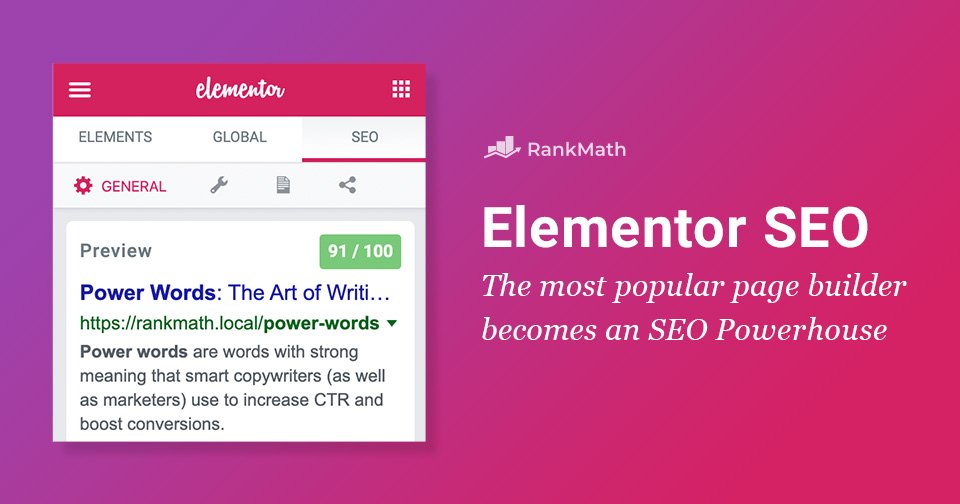
Overview
Rank Math has rapidly become the go-to SEO Plugins for WordPress in 2025. Known as the “Swiss Army Knife of WordPress SEO,” it offers advanced features even in its free plan that other plugins lock behind paywalls.
Key Features
- Smart automation with AI-driven content analysis
- 404 error monitoring and redirection management
- Schema markup (rich snippets) support
- Keyword tracking and Google Search Console integration
Built-in local SEO and WooCommerce SEO modules
Pros
- Extremely feature-rich (even in the free version)
- Lightweight and fast
- Auto-configuration wizard simplifies setup
- Great for advanced users and agencies
- Cons
- May feel overwhelming for complete beginners
- Some advanced features require a premium plan
Pricing
- Free version available
- Pro plan: Starts at $69/year
Best For
Agencies, power users, and anyone who wants AI-based SEO automation.
All in One SEO(AIOSEO) — The Veteran Optimizer
Overview
One of the oldest and most trusted SEO Plugins for WordPress, All in One SEO (AIOSEO) combines simplicity with robust functionality. It’s built for users who want an easy yet powerful way to manage on-page SEO.
Key Features
- TruSEO on-page analysis
- Smart XML sitemaps
- Schema support
- SEO audit checklist
- WooCommerce SEO optimization
- Local SEO and image SEO
Pros
- Clean interface suitable for beginners
- Fast setup wizard
- Excellent WooCommerce compatibility
- Comprehensive site audit feature
Cons
- Some premium features can feel locked behind the paywall
- Interface less modern than Rank Math
Pricing
- Free version available
- Pro plan: Starts at $49.60/year
Best For
Website owners who want a balance of simplicity and control.
SEOPress — The Lightweight & Privacy-Friendly Option
Overview
SEOPress is one of the most underrated SEO Plugins for WordPress. It offers premium-grade features at an affordable price, all while being GDPR-compliant and ad-free.
Key Features
- Title, meta, and social media tags optimization
- Google Analytics and Search Console integration
- XML and HTML sitemaps
- Breadcrumbs and structured data support
- WooCommerce SEO
- Broken link checker
Pros
- No ads or branding — clean and fast
- Great customization options
- Affordable lifetime pricing
- Developer-friendly
Cons
- Learning curve slightly higher than Yoast
- Fewer tutorial resources online
Pricing
- Free version available
- Pro version: $49/year
Best For
Developers and privacy-conscious users looking for performance and flexibility.
The SEO Framework — Minimalist, Fast, and Automatic
Overview
If you want a lightweight, fast, and zero-bloat SEO Plugins for WordPress, The SEO Framework is a hidden gem. It focuses on automation and simplicity without unnecessary pop-ups or upsells.
Key Features
- Automated meta tag and title generation
- AI-powered post optimization
- Schema markup and canonical URL support
- Spam-free, privacy-focused
- Color-coded SEO indicators
Pros
- Extremely fast and efficient
- No ads or promotions
- Ideal for large websites and agencies
- Excellent automation features
Cons
- Fewer advanced integrations than Rank Math
- Interface less intuitive for beginners
Pricing
- Free version available
- Extension Manager: Starting at $84/year
Best For
Developers and users who value speed, automation, and no-nonsense SEO tools.
Squirrly SEO — AI-Powered SEO Assistant
Overview
Squirrly SEO is built for non-technical users who want guidance while writing and optimizing content. Its real-time AI-driven assistant helps you make SEO-friendly content without guesswork.
Key Features
- AI SEO assistant with real-time suggestions
- Focus pages feature (prioritize key pages)
- Keyword and competition analysis
- SEO audits and progress tracking
- Google SERP preview
Pros
- Excellent for beginners
- Smart AI features improve productivity
- Detailed SEO performance reports
- Integrates well with WooCommerce
Cons
- Dashboard can feel cluttered
- Limited free version
Pricing
- Free plan available
- Pro plan: Starts at $20.99/month
Best For
Bloggers and content creators who want a hands-on SEO assistant powered by AI.
WP Meta SEO — Bulk Optimization Made Easy
Overview
If you manage multiple pages and posts, WP Meta SEO helps you bulk-edit titles, meta descriptions, and image alt text — saving hours of manual work.
Key Features
- Bulk meta editing
- SEO content checker
- Image optimization
- 404 error and redirection manager
- Google Analytics integration
Pros
- Time-saving bulk editing
- Excellent for large websites
- Visual SEO dashboard
- Integration with Elementor
Cons
- Interface can be complex for beginners
- Limited automation compared to Rank Math
Pricing
- Free version available
- Pro version: $49/year
Best For
Webmasters managing large blogs or corporate websites with many pages.
Schema Pro — Structured Data Simplified
Overview
While not a full SEO Plugins for WordPress, Schema Pro complements your SEO setup by adding structured data to your pages — helping Google display rich results like ratings, FAQs, and product info.
Key Features
- Adds 20+ schema types
- Works with Yoast, Rank Math, and AIOSEO
- Automates structured data markup
- Boosts CTR through rich snippets
Pros
- Improves visibility in SERPs
- Easy to configure and integrate
- Great ROI for eCommerce and blogs
Cons
- No on-page SEO tools
- Paid-only plugin
Pricing
- Starts at $79/year
Best For
Advanced users who want rich snippets and structured data without coding.
Broken Link Checker — Maintain a Healthy SEO Profile
Overview
A good SEO strategy isn’t just about adding links — it’s about maintaining them. Broken Link Checker ensures your site has no dead or invalid links, which can hurt rankings.
Key Features
- Scans all pages for broken internal/external links
- Real-time alerts
- Fix or unlink directly from the dashboard
Pros
- Essential for ongoing site maintenance
- Improves user experience and crawlability
- Easy for non-technical users
Cons
- Can slightly slow down large sites if not configured properly
Pricing
- 100% Free
Best For
Everyone — especially large content-heavy sites.
Redirection — Control Your Site’s Link Flow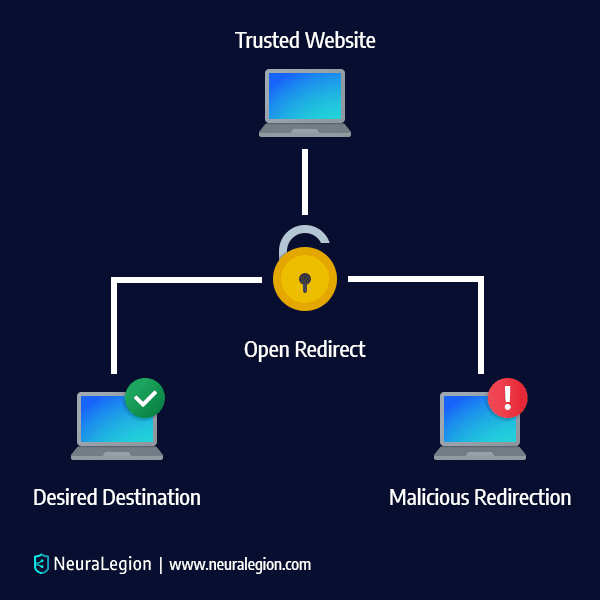
Overview
When you delete or move a page, broken URLs can damage your SEO. Redirection is a must-have plugin that helps you manage 301 redirects and track 404 errors.
Key Features
- Simple 301 redirect management
- Track 404 errors
- Import/export redirect rules
- Conditional redirects based on login status or referrer
Pros
- Easy setup and maintenance
- Prevents SEO loss during site changes
- Completely free
Cons
- No direct keyword optimization tools
Pricing
- Free
Best For
All site owners managing redesigns, migrations, or regular content updates.
Bonus: 3 Must-Have SEO Tools (Beyond Plugins)
In addition to SSEO Plugins for WordPress, pair your WordPress setup with these external tools:
- Google Search Console — Monitor search visibility and fix indexing issues.
- Ahrefs Webmaster Tools — Analyze backlinks and keyword performance.
- PageSpeed Insights — Optimize for Core Web Vitals.
How to Choose the Best SEO Plugin for Your WordPress Site
When selecting an SEO plugin, consider:
- Your skill level (beginner or advanced)
- Your website type (blog, business, eCommerce)
- Required features (schema, local SEO, redirects)
- Site speed and compatibility
- Ongoing updates and support
If you’re unsure where to start:
- Beginners: Yoast SEO or All in One SEO
- Intermediate users: Rank Math or SEO Plugins for WordPress
- Agencies/Advanced users: Rank Math Pro or Schema Pro
Final Thoughts: The Right SEO Plugins for WordPress Can Transform Your WordPress Site
SEO is no longer optional — it’s the foundation of online visibility.
Whether you’re managing a personal blog, an eCommerce store, or a corporate website, using one of the best SEO Plugins for WordPress for WordPress for WordPress can save time, improve rankings, and grow traffic.
Each of these tools — from Yoast SEO to Rank Math — offers unique advantages.
The key is to pick one that fits your workflow, optimize consistently, and monitor your results using tools like Google Analytics and Search Console.
Visit My Another Blogs